CompTech Assurance

DfE standards. A clearer view. A practical plan.

Bring technology, governance and safeguarding assurance together. CompTech Assurance helps schools and trusts assess their position, record supporting information and turn findings into owned improvement actions.

Inside CompTech Assurance

The bigger picture, in one place.

A first look at the workspace that brings your standards review together. See progress clearly, find the areas that need attention and keep the next conversation focused.

CompTech AssuranceAnnual review
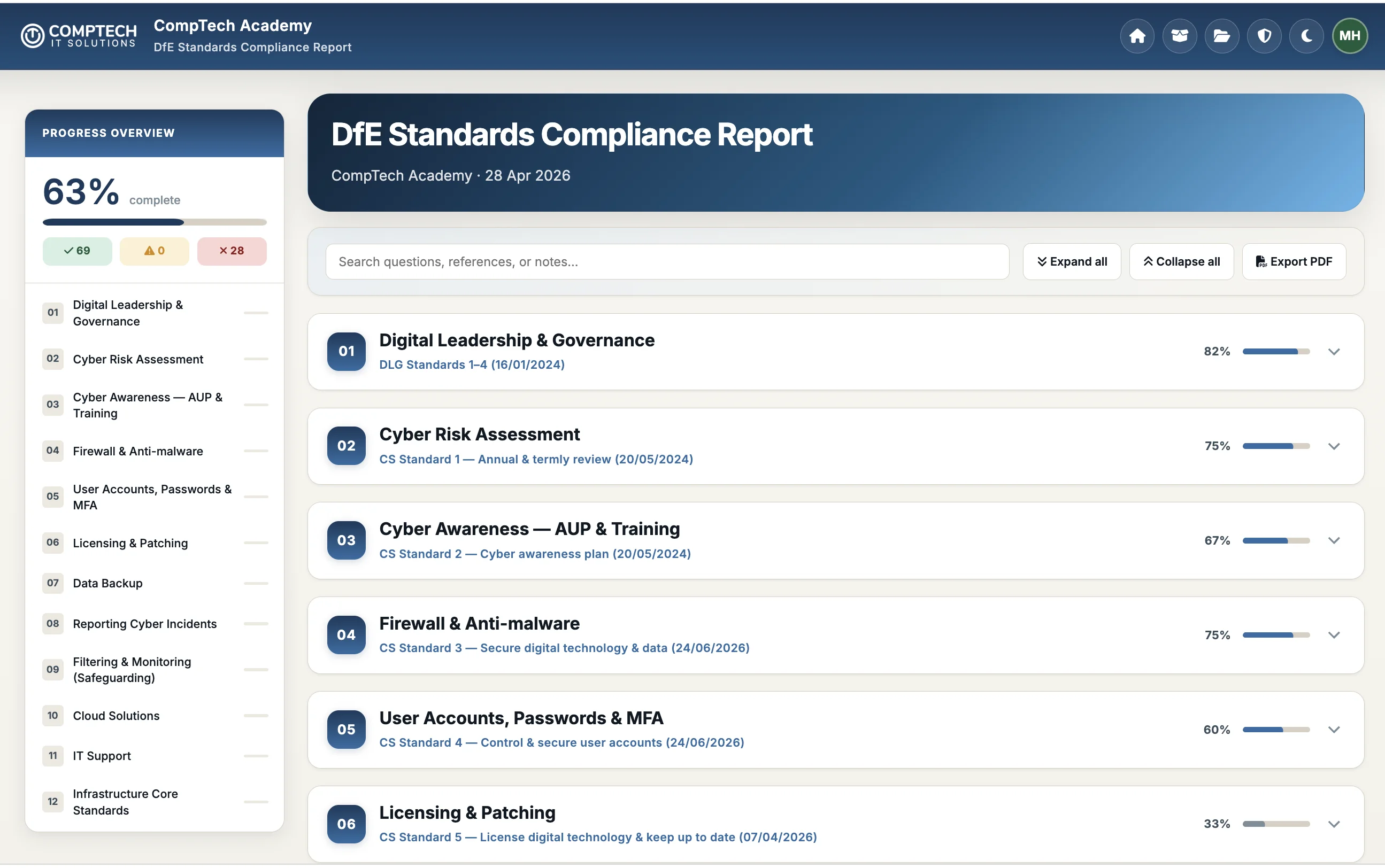
CompTech Assurance annual review showing overall progress and collapsed assurance sections with individual progress indicators.
A clear view of your current positionOverall and section progress help leaders see where to focus their next review.

Guidance close at hand

Less searching. More informed decisions.

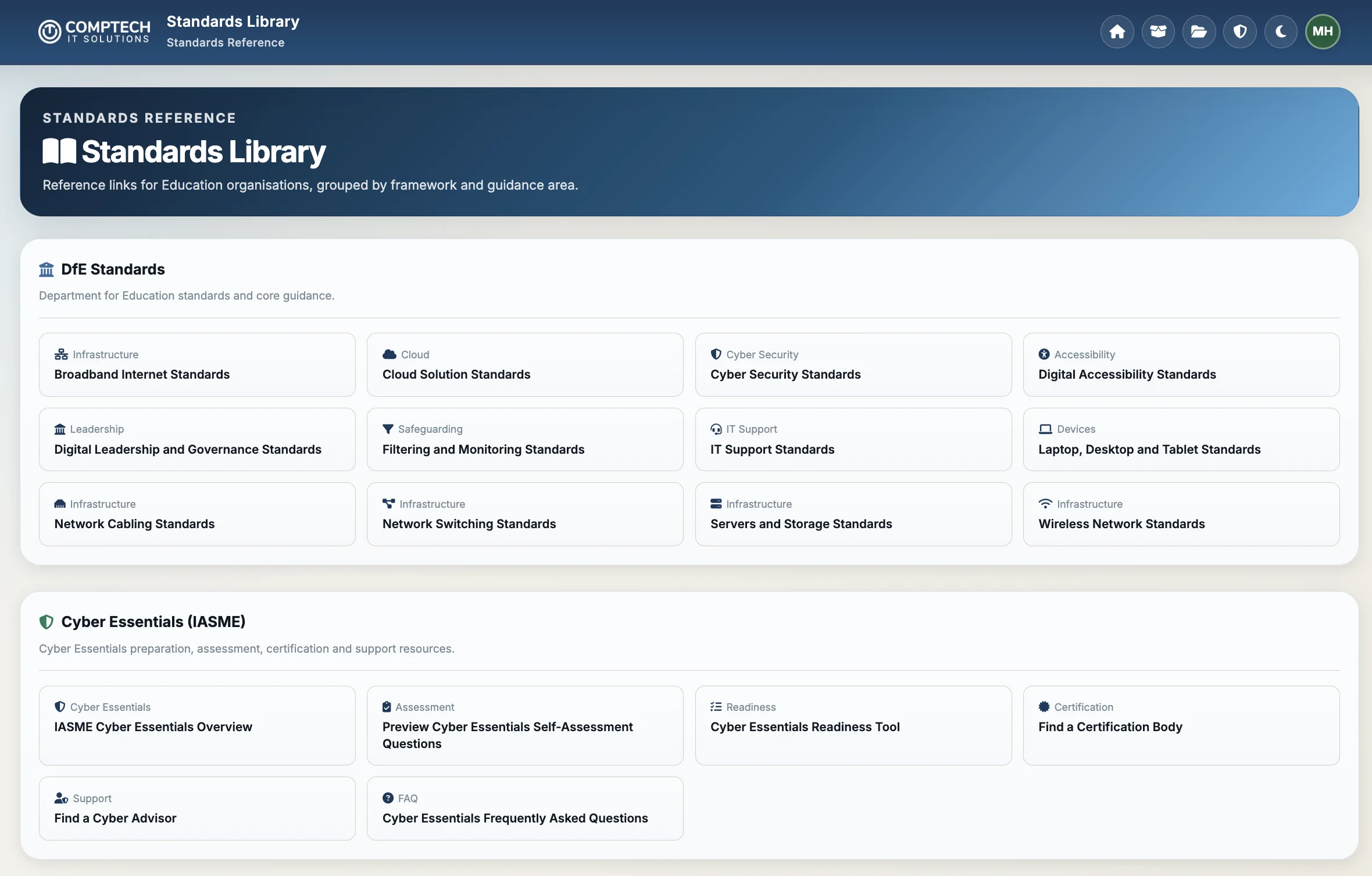
The standards library brings links to official guidance into the same workspace, organised by topic so your team can find the source behind the review.

Take a closer look in a demonstration
Standards libraryPlatform preview
CompTech Assurance standards library with links grouped into DfE technology guidance and Cyber Essentials resources.
Relevant official guidance, grouped by subject.

Selected platform screenshots. Progress figures show the example displayed, not an independently verified compliance result. Request a demonstration to explore reviews, actions and reporting with us.

For multi-academy trusts

A shared view for the trust. A clear record for each school.

Bring the organisations you are authorised to oversee into one workspace. Trust leaders can review organisational progress and outstanding work, while school teams keep their own reviews and actions connected to the right setting.

CompTech AssuranceProgress and assigned actions
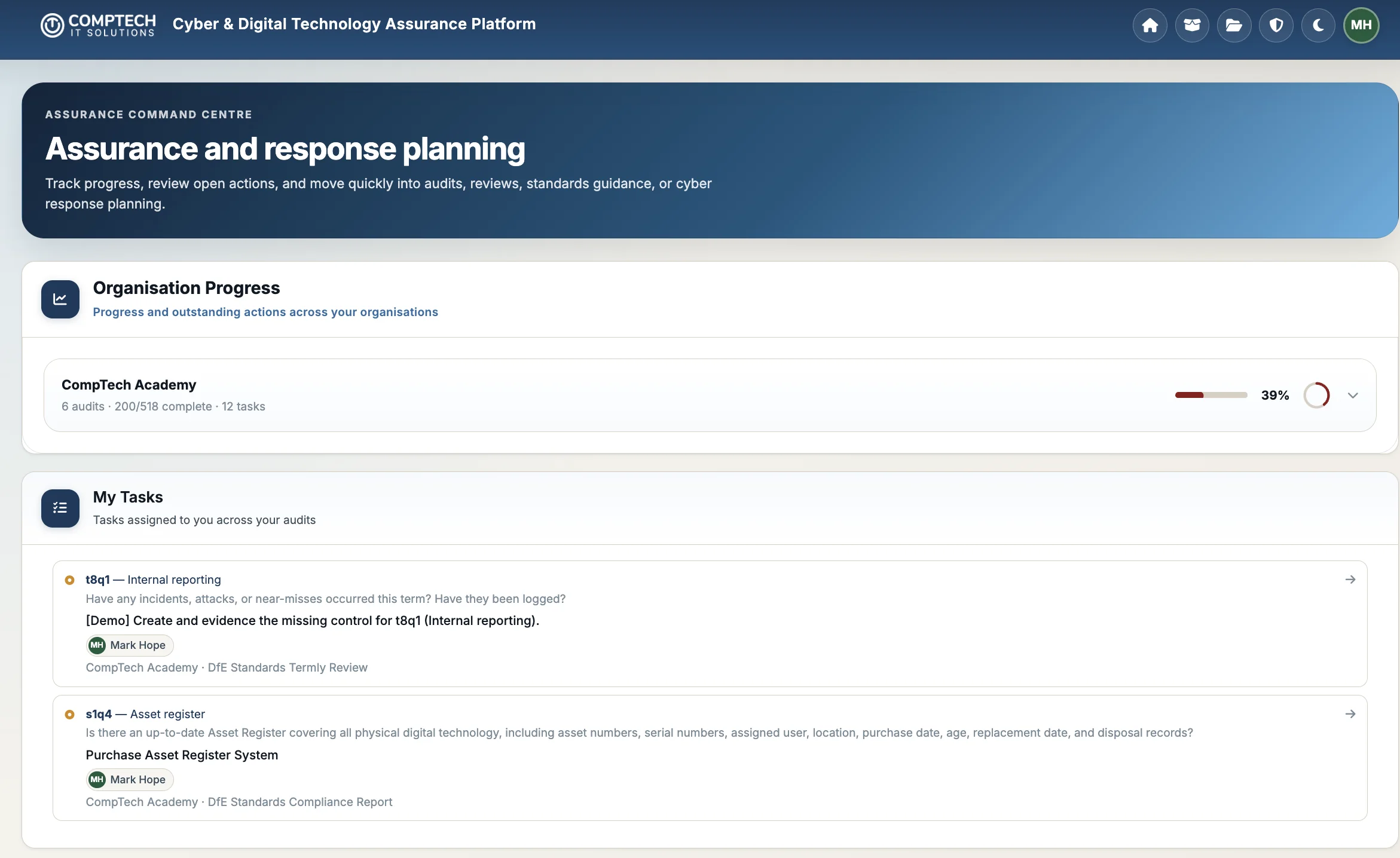
CompTech Assurance dashboard showing organisation progress and tasks assigned to the current user.
Progress and assigned actionsThe supplied example shows one organisation. The workspace supports access across multiple schools and organisations.

Start with the trust picture

Review the progress and outstanding actions for the organisations within your access. Use that overview to identify where a conversation or additional support is needed.

Keep local circumstances in view when discussing progress across schools.

Follow through at school level

Open the relevant organisation and review its annual assessments and termly checks. Look at section progress and the supporting notes behind individual findings.

Connect the summary to the practical work taking place in each school.

Give the right people access

Role-based, organisation-specific access lets school leaders, central IT teams and authorised reviewers contribute within their responsibilities.

People only see the organisations and audits they are authorised to access.

Organised around your schools

Keep each review in context.

The organisation view brings audit dates, status and progress together. Annual and termly records remain associated with the school they belong to, making it easier to return to the right assessment.

For a trust, this supports a consistent review process without losing the detail of each school’s technology, priorities and responsibilities.

CompTech AssuranceOrganisation workspace
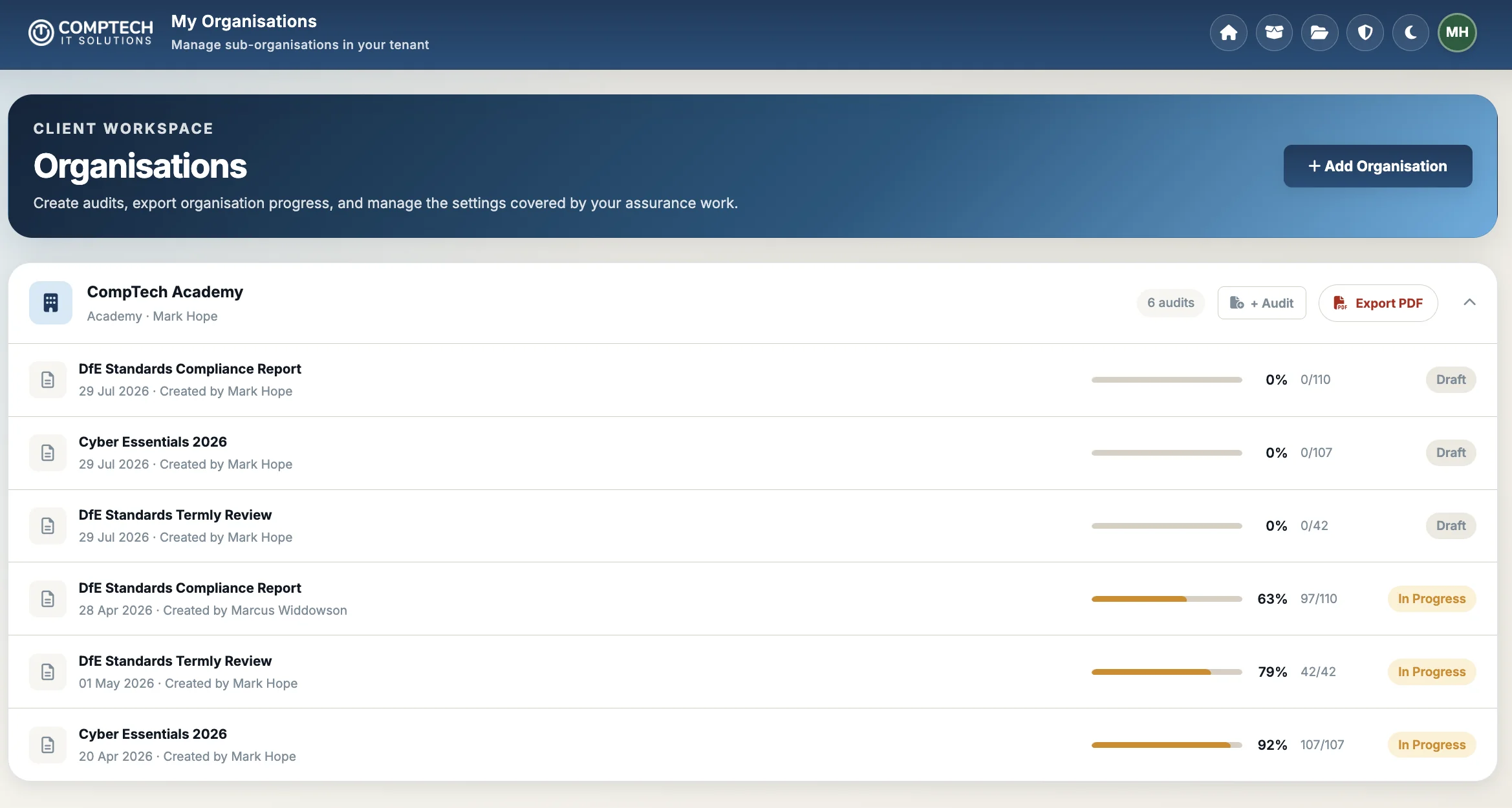
Organisation workspace listing CompTech Academy audits with dates, draft and in-progress statuses and progress bars.
Organisation workspaceAn example school with annual and termly records, audit status and progress.

Screenshots show the supplied CompTech Academy example. Progress percentages describe recorded answers and should be read alongside scope, notes and outstanding actions, rather than treated as a school ranking or independent assurance rating.

From questions to action

Know where you stand across your school or trust.

Assurance information can be spread across technical records, meeting notes and individual staff members. Leaders need a shared view of what is in place, where gaps remain and who is taking the next step.

CompTech Assurance provides a structured workspace for school leaders, business leaders, designated safeguarding leads, IT teams, governors and trustees. Authorised support providers and reviewers can contribute within their assigned access.

One organisation, or multiple schools

Review individual organisations and their progress within a school or multi-academy environment. Access is controlled by organisation and user role, so people only see the organisations and audits they are authorised to access.

This is an assurance and improvement tool. It does not provide DfE approval, certification, legal advice or an independent audit opinion.

A continuing process

Annual assurance, supported by termly reviews.

Keep improvement active between assessments, with a broad annual review and shorter operational checks during the year.

Build your annual picture

Work through the assurance questions, record your answers and add supporting information and evidence notes. See progress by section, controls fully in place and areas that need further work.

Check what has changed each term

Review new devices, account permissions, security updates, backup tests, filtering and monitoring checks, infrastructure changes and new risks or incidents.

A continuing audit record

Know which reviews still need attention.

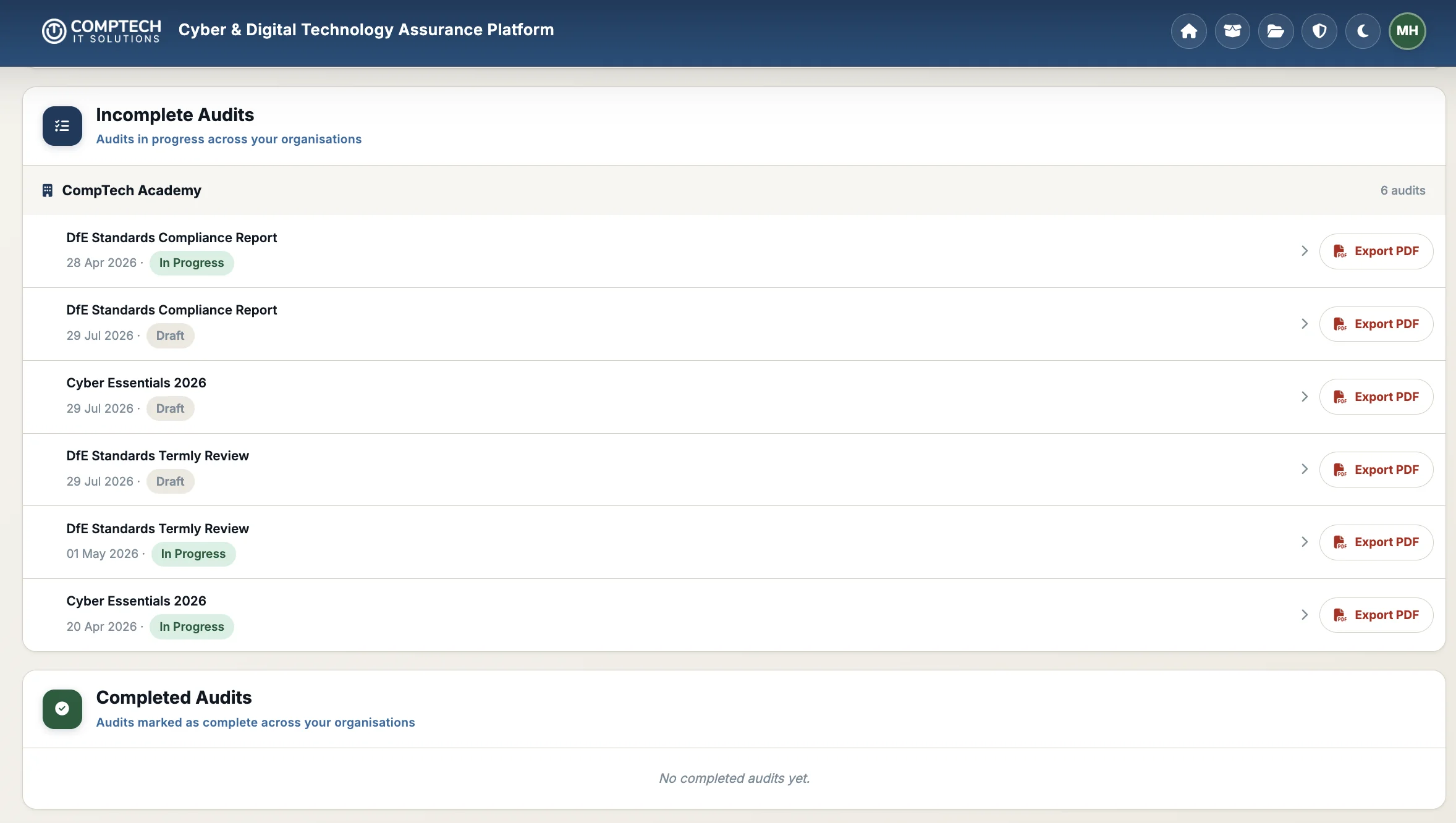
See draft and in-progress audits alongside a separate area for completed records. Annual assessments and shorter termly reviews stay easy to find, with PDF exports available for assurance discussions.

A completed record requires the tool’s sign-off conditions to be met. Finishing the questions alone does not close an audit while remedial tasks remain open.

CompTech AssuranceAudit overview
Audit overview showing incomplete annual and termly reviews with PDF export controls and a separate completed-audits area.
Audit overviewFind reviews in progress and access PDF reports from the audit list.
Explore the tool’s 12 assurance areas

1. Digital leadership and governance

Clarify the digital lead, governor oversight and how technology decisions support your improvement plan.

2. Asset management and risk

Review technology registers, ownership and the risks that need a recorded decision or follow-up.

3. Cyber awareness, acceptable use and training

Review staff awareness, acceptable-use expectations and how training supports everyday decisions.

4. Firewalls and anti-malware

Check the protections around your network and devices, and record gaps needing technical attention.

5. User accounts, passwords and multi-factor authentication

Review account access, administrator privileges and authentication controls.

6. Software licensing, updates and vulnerability management

Review software licensing, supported systems, security updates and unresolved vulnerabilities.

7. Data backup and recovery

Record how important data is backed up and whether recovery has been tested.

8. Cyber incident reporting

Check that staff know how to report incidents and that response responsibilities are understood.

9. Filtering and monitoring

Bring safeguarding leaders and IT together to review responsibilities, checks and responses to concerns.

10. Cloud solutions

Review cloud access, availability, data protection and backup arrangements.

11. IT support

Review support responsibilities, service arrangements and whether they meet the needs of your setting.

The 12 areas organise CompTech’s question set. Always refer to the current official DfE digital and technology standards for the underlying guidance.

Make the next step clear

Connect each finding to practical follow-up.

Record the position

Answer the configured questions and capture supporting notes, exceptions and risk decisions. Keep the reasoning behind an answer alongside the finding.

Assign the work

Create remedial tasks against individual answers, assign users and record completion. Customers with the applicable support service can send tasks to CompTech’s service desk.

Report progress

Use organisational and section progress views, PDF audit and progress reports, and CSV action-plan exports to support discussions with leaders, governors and trustees.

The main percentage gives every active question equal weight and shows the proportion assessed as fully in place. It is a recorded assessment of your position, not an independently verified compliance score.

Filtering and monitoring

Keep safeguarding and IT working together.

Review named responsibilities, annual review outcomes and pupil risk profiles with safeguarding leaders and IT support. Consider school-managed devices, off-site use, guest access and how filtering and monitoring reflect the needs of your setting.

Record supporting information and evidence notes from filtering tests, monitoring reports and responses to concerns. Where a check identifies a gap, create a remedial task and assign the people responsible for taking it forward.

Safeguarding decisions remain with the school’s designated leaders, supported by professional judgement and current guidance.

Versioning and sign-off

Keep completed assurance records intact.

Existing audits retain the question versions they were created with. Updating an in-progress audit is an explicit action, and revised questions need reassessment while existing notes and tasks are retained.

Sign-off becomes available when every active question is fully satisfied and no remedial tasks remain open. An authorised manager or administrator signs electronically; the audit is then dated and locked.

Completed records cannot be silently rewritten by later question updates.

More from your assurance workspace

Prepare for Cyber Essentials. Keep termly checks on track.

Use the platform to work through security readiness alongside your annual DfE review and the operational checks that support ongoing assurance.

Available in the platform

Cyber Essentials Danzell question set

Schools can load the current Danzell question set and work through their Cyber Essentials readiness. Record answers, supporting notes and follow-up tasks to understand what needs attention before assessment. Preparation in the tool is separate from the formal certification process.

View the official IASME question sets

Available in the platform

DfE Standards Termly Review

Work through termly checks covering devices, accounts, permissions, updates, backups, filtering, monitoring and incidents. Record changes and assign follow-up work. Use these reviews to support your compliance responsibilities alongside the checks and review frequencies required for your setting.

Explore annual and termly reviews

In development

DfE AI guidance, built into your next assurance conversation.

We are developing an AI assurance area informed by DfE guidance and generative AI product safety standards. It is not yet available in the platform.

The planned area will help schools and trusts structure discussions about AI use, safeguarding, data protection and oversight, with findings connected to practical improvement actions.

Talk to us about AI assurance

Start with the official guidance

DfE’s generative AI product safety standards are aimed at developers and suppliers of educational AI products. Schools can use them to inform questions about the tools they choose, alongside DfE’s wider guidance for education.

Read DfE AI product safety standardsRead DfE AI guidance for education

From the dashboard to the meeting

Give leaders a useful assurance conversation.

Use the recorded position to explain what is working, where support is needed and which actions are still open. The value is in the follow-up as well as the percentage.

School leadership

Review gaps with your IT team and safeguarding leads. Record supporting information and evidence notes so the reasons behind an answer remain available.

Agree who will take each remedial action forward.

Trust oversight

Bring organisation progress reports into discussions about school priorities, technical support and improvement planning.

Use PDF reports and CSV action-plan exports to support the next review.

Governors and trustees

Ask what has changed since the last review, what remains unresolved and whether actions have been completed.

Use signed-off records to refer back to the completed assessment.

Request a demonstration for your school or trust

Access and pricing

Clear annual pricing for your establishment or trust.

All licences run for a minimum 12-month contract and are payable annually in advance. All prices exclude VAT.

Standalone establishments

These prices apply only to standalone establishments. Schools belonging to a trust use the trust pricing shown alongside.

Primary school
£495 per year
Secondary school
£695 per year
Further or higher education establishment
£895 per year

Excludes VAT. Minimum 12-month contract, payable annually in advance.

Request a demo

For pricing purposes, an establishment means one individual school or education establishment.

Already a CompTech managed school or MAT?

The tool remains free to use for CompTech managed schools and MATs. Talk to us about your included access.

Professional services

Work through the standards with people who understand education.

With 18+ years of supporting the education sector, CompTech’s in-house accredited consultants can help your SLT and leadership teams understand the standards and turn the review into practical next steps.

Our guided sessions explain the standards in the context of your school or trust, discuss your current position and help you work towards meeting them. Actions and tasks are assigned on the day, so everyone leaves knowing what they are responsible for taking forward.

Talk to us about a guided standards session

From discussion to assigned action

  • Walk through the standards with your SLT and leadership teams
  • Discuss gaps, responsibilities and priorities for your setting
  • Record agreed actions and assign tasks during the session
  • Use the tool to support follow-up and future reviews

Our support covers filtering and monitoring, cyber security, Microsoft 365, audit management, and Cyber Essentials certification support and consultancy.

Talk to us about the scope and pricing of professional-services support alongside your tool access.

See CompTech Assurance

Bring your standards review into one clear workspace.

Tell us about your school or trust, your current approach and where you need support. We’ll show you how the tool can help your next review.